
+1 > MS > OS
A raid night with RollForMe, step by step. Works on every Classic version and WoW Forever.

- 1Raid leader
Open RollForMe and pick +1 > MS > OS
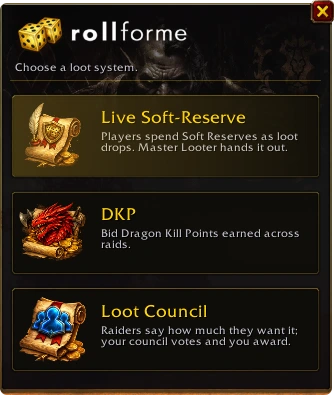
Type /rfm (or click the minimap dice). RollForMe asks which loot system to run tonight - click the +1 > MS > OS card.
- 2Raid leader
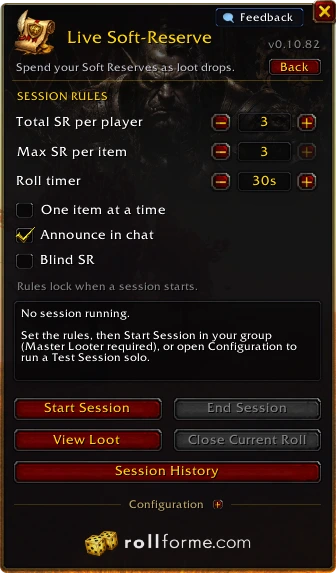
Set the session rules
How many +1s each player gets, how many can go on one item, the roll timer, and whether +1s come back to everyone who doesn't win (on by default) - plus one item at a time, chat announcements or blind +1s. Rules lock once the session starts, so nobody can change them mid-raid.
- 3Everyone
Loot drops - everyone answers
A roll bar pops up for each item: roll Main Spec, Off Spec, pass - or put +1 on it, right there. Players without the addon just type ms, os or +1 in raid chat.
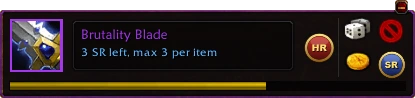 [Raid Warning] [Brutality Blade] dropped! To participate, type ms, os, pass or +1 in chat, or use the RollForMe addon.
- 4RollForMe
The winner is decided for you
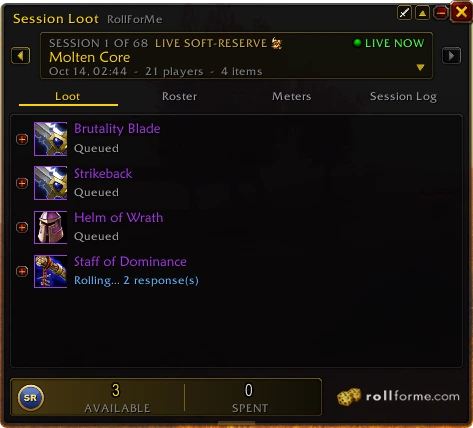
+1 beats Main Spec, Main Spec beats Off Spec, more +1s on an item beat fewer, and ties roll off automatically - no /roll arguments. Session Loot shows every item as it's rolled and won.
- 5Loot Master
Hand it out - every +1 tracked
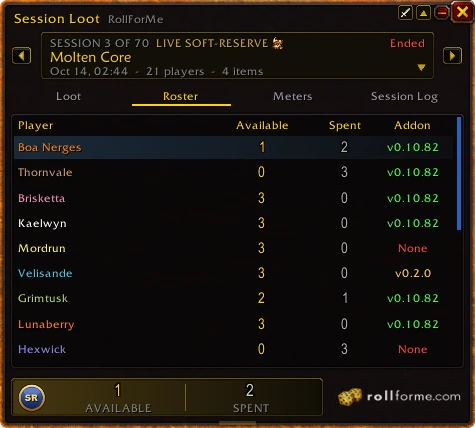
Winners queue up on the Hand-out button; one click gives each item through Master Loot. The Roster tab shows everyone's +1s left and spent, and who's running the addon.
- 6After the raid
Bring it to rollforme.com
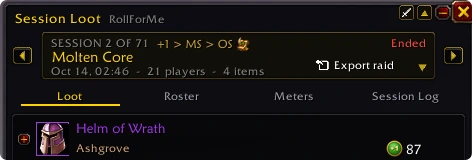
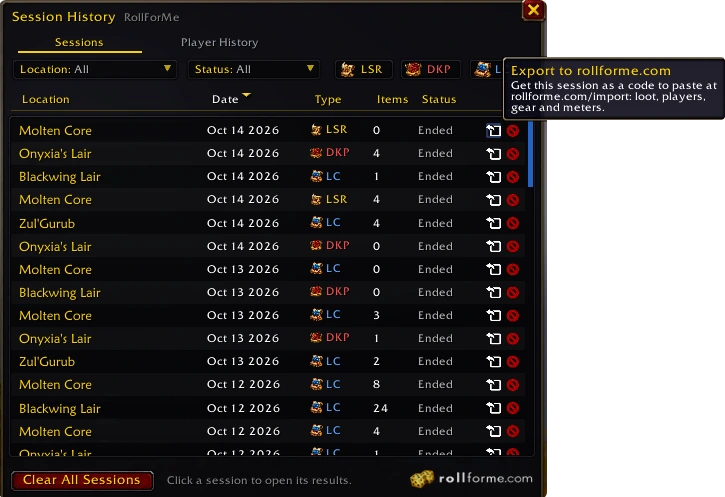
Every session is kept - loot, answers, bids, votes, plus your meters. Click Export raid in Session Loot (or the export arrow on any session in Session History), press Ctrl+C and paste the code on the Import page: your guild page, raid page and every raider's profile update at once.
 DKP
 Loot Council
 Soft Reserve