
Loot Council
A raid night with RollForMe, step by step. Works on every Classic version and WoW Forever.

- 1Raid leader
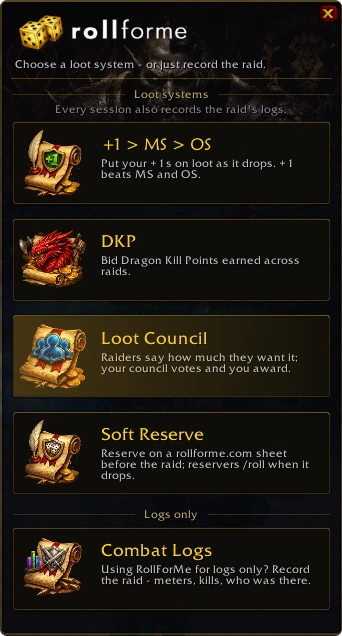
Open RollForMe and pick Loot Council
Type /rfm (or click the minimap dice). RollForMe asks which loot system to run tonight - click the Loot Council card.
- 2Raid leader
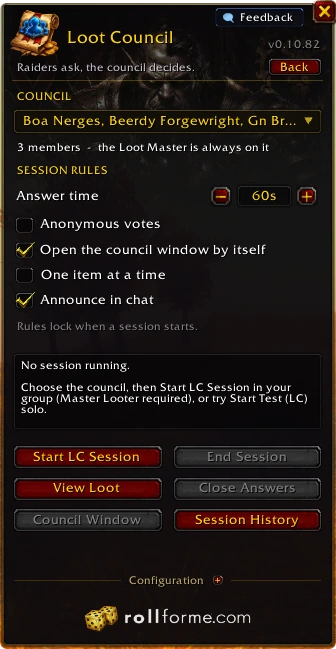
Name the council and set the rules
Pick your council members - the Loot Master is always on it. Then set the answer time, anonymous votes, one item at a time and chat announcements. Council members get the council window; everyone else just answers.
- 3Everyone
Tell the council what it means to you
Each raider answers BiS, Upgrade, Minor upgrade or Offspec, with an optional note for the council.

- 4Council
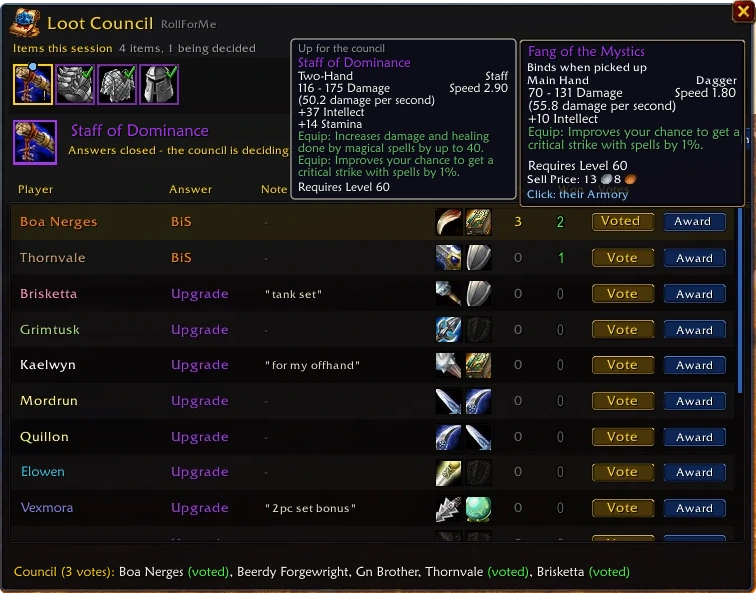
The council compares and votes
Council members see every answer and note, and what each raider has already won this session. Hover what a raider wears in that slot and it opens side by side with the item up for council, to compare - then vote.
- 5Loot Master
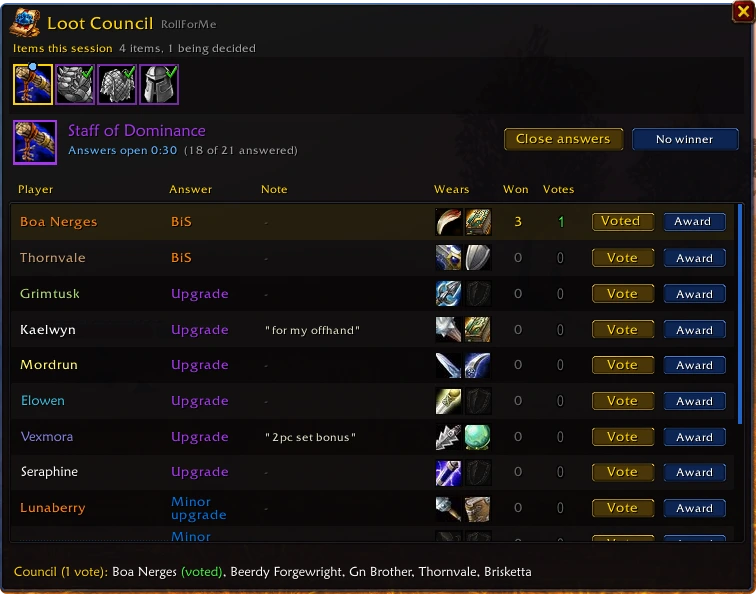
Award it
Once the council has decided, the Loot Master clicks Award next to its pick - the item goes into the Hand-out queue like any other win.
- 6After the raid
Bring it to rollforme.com
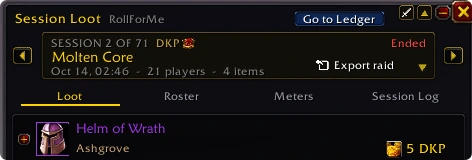
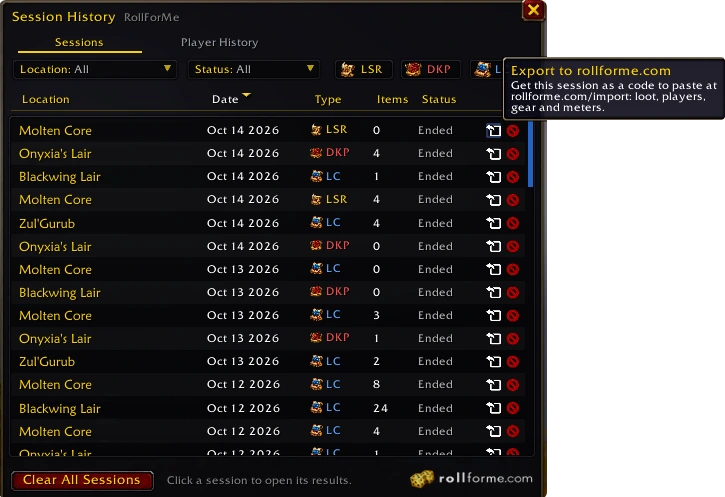
Every session is kept - loot, answers, bids, votes, plus your meters. Click Export raid in Session Loot (or the export arrow on any session in Session History), press Ctrl+C and paste the code on the Import page: your guild page, raid page and every raider's profile update at once.
 +1 > MS > OS
 DKP
 Soft Reserve